Driver app
Delivery, handled.
For marketplaces that deliver. Your drivers go online, get offered the orders in their area, pick up, and hand over at the door. You draw the zones, set the fees, and see every delivery.
- Your own fleet
- Your fees
- Optional
Pickup-only marketplace, or sellers who deliver themselves? You can skip the driver app entirely.
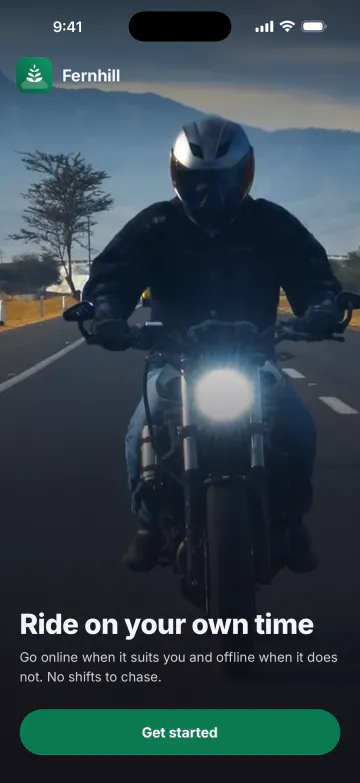
Store to door, five steps.
-
Go online
The driver opens your app and switches on. The app starts sharing their position.
-
Accept
An order in their area is offered, with what it pays. They take it.
-
Pick up
At the store, they confirm the pickup. The order is out for delivery.
-
Hand over
At the door. With delivery codes on, the customer reads out four digits.
-
Get credited
The full delivery fee lands in their earnings. Cash collected is logged.
What a driver sees.
-
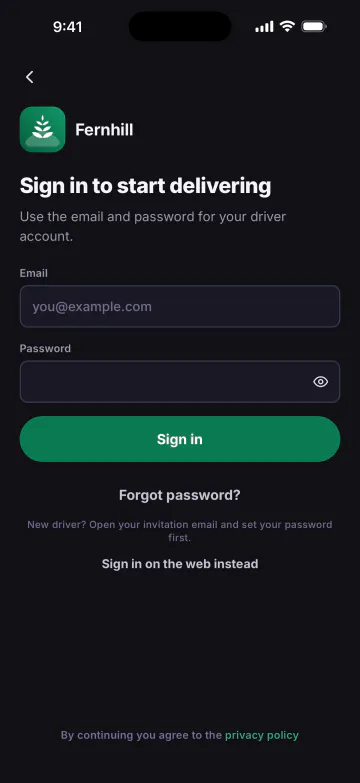
Sign in
You invite the driver. They set a password and they are in.
-
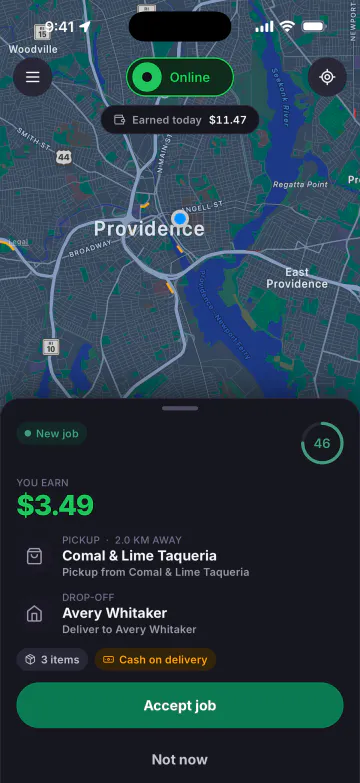
An offer
Where to collect, where to drop, what it pays.
-
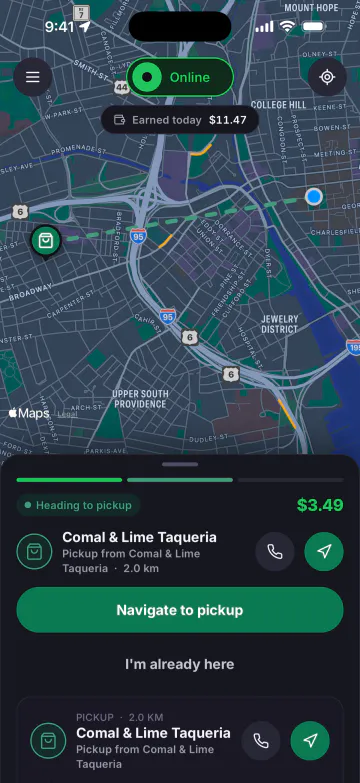
Pickup
The store, the order, one button to confirm.
-
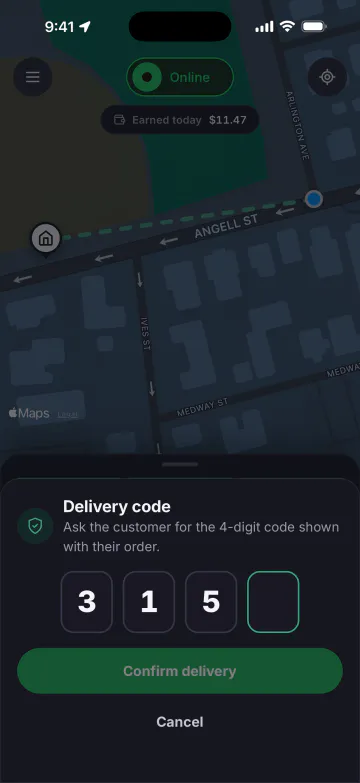
Delivery code
The customer's code closes the delivery.
-
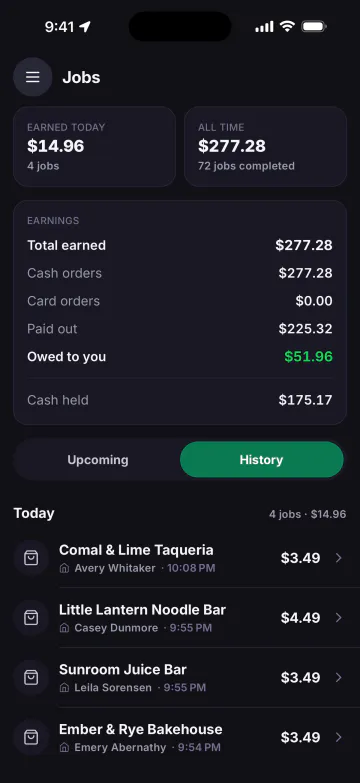
Earnings
Fees earned, cash held, every job listed.
Offers, not orders.
A new delivery is offered to every active driver assigned to that area, all at once. The first to accept takes it. Nobody has to assign anything.
- The fee is on the offer, before they acceptWith the pickup, the drop-off, the item count and whether it is cash on delivery.
- A 60-second countdownSkip an offer and it waits in a list for as long as it is still open.
- One job at a time
- Drivers earn the full delivery feeEven when a promotion made delivery free for the customer.
Good to knowOffers arrive while the driver is online with the app open. There is no push notification or ringtone for a new job yet, so drivers keep the app in front of them on shift.
Two stops. One button each.
A delivery is pickup, then drop-off. The job sheet shows the stop, the items and who to call, and one button moves it forward.
- Navigate hands off to Apple Maps or Google Maps
- Call the seller or the customer from the job
- “Collect $23.50 in cash”On a cash order the job shows exactly how much to collect.
- The items, with the customer's notes
One switch. Every map lights up.
While a driver is online, the app sends the phone's position about every 10 seconds. That one signal is what everyone else is watching.
- The customer's live mapAnd the arrival time on their tracking screen and iPhone lock screen.
- The seller's driver map, in the vendor app
- Your delivery map, in the admin portal
- Require a fresh locationSwitch it on and a driver needs a current position to go online or accept a job.
Good to knowCustomers see the driver's name, photo and position, and only while that delivery is under way. Never a phone number.
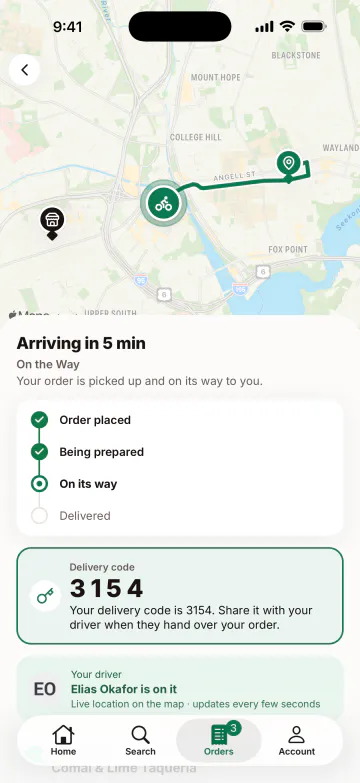
Proof at the door, in four digits.
Every delivery order gets a four-digit code that only the customer sees. Switch codes on and the driver has to enter it to complete the delivery.
- Five wrong codes lock the deliveryYour staff unlock it from the order in the portal.
- A way out when a phone is deadYou can complete the order yourself in the portal. A driver already on the road still finishes it and gets paid.
What they earned. What they are holding.
The Jobs screen shows earned today, all-time earnings, paid out, owed to you and cash held, above every completed job by day.
- Earnings and cash are separate numbersA driver always knows what the marketplace owes them and what they owe it.
- A cash limit, if you set oneThe app shows how much room is left and says when to deposit. At the limit, no more cash orders until they do.
- Deposits and payouts show up as you record them
Good to knowThe app shows the totals. The money itself changes hands your way: cash at the office, a bank transfer, whatever you agree with your drivers.
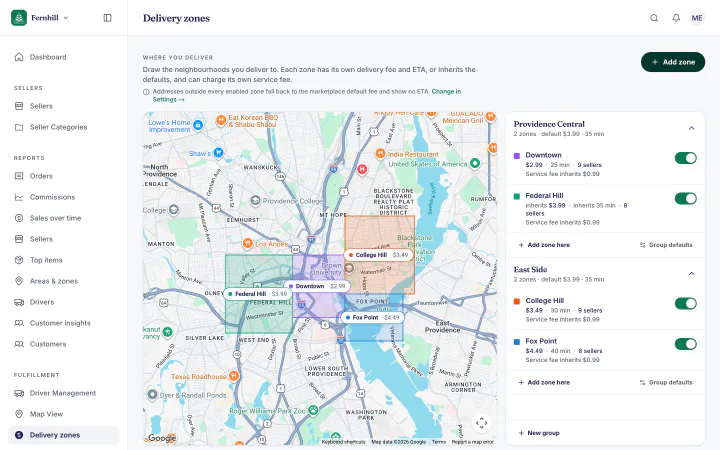
Delivery fee? Don’t guess. Draw it.
In the admin portal you draw the zones you deliver to. Each zone gets its own fee and delivery time, and checkout charges the right one for the customer’s address.
- Draw zones on the map, set a fee and a time for each
- Invite drivers by email and choose the areas each one worksThey set a password, add a photo, and pick English or Arabic.
- Follow any delivery live on the map
- Cash collected, deposits and driver payouts on one ledger
How it runs today.
-
App open on shift
New offers show up in the open app, with a strong vibration. They do not ring through a locked phone yet.
-
Offered, never assigned
Every eligible driver sees the job and the first to accept gets it. There is no manual assignment and no batching.
-
Cash, counted
Customers pay the driver in cash. The ledger knows who is holding what until you record the deposit.
-
Built by our team
The driver app is built and published under your name by us. It comes with the Growth plan for up to 5 drivers, and with unlimited drivers on Scale.
Your drivers already carry the food. Give them the app.
For restaurant groups that run their own delivery drivers: every location in one app under your name, this driver app for the jobs, and what it does not do yet (assigning, batching, POS, tips).
You deliver for restaurants today. Take the order too.
For last-mile delivery companies: what fits your fleet as it is, what the driver app does not do (assigning jobs, batching, jobs from outside clients), and a calculator for the commission.
Your city. Your fleet.
Tell us what you'd build. We'll help you launch it: your storefront, your sellers, your brand, live in under a week.
Rather talk first? Book a demo.