Choosing options and extras, and leaving a note
How customers pick a size, add extras and leave a note on an item, and why the note exists only in the app.
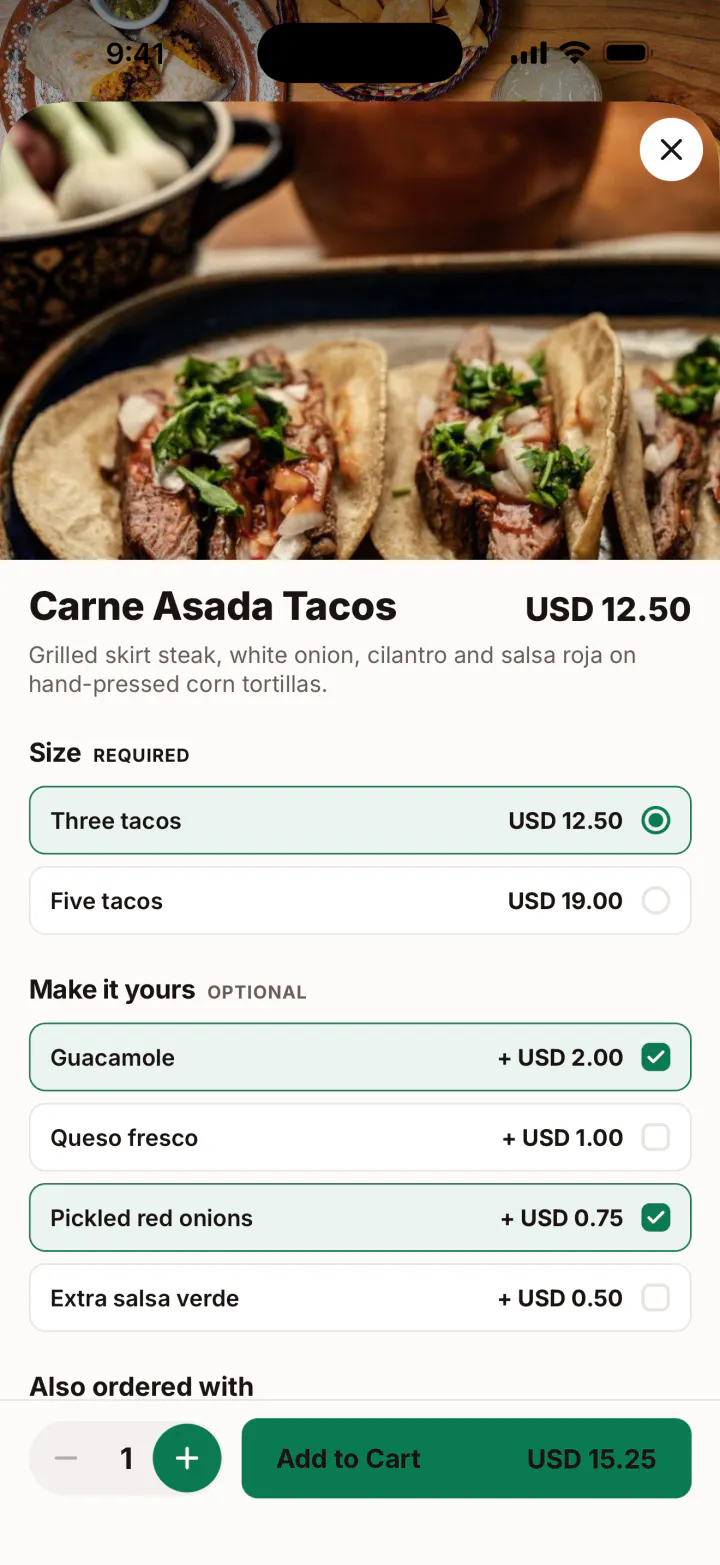
On an item, a customer picks one version (for example a size), ticks any extras, sets a quantity and adds it to the cart. In the app they can also type a note for the seller. The website has no note field.
How it works
One required choice
When an item comes in versions, the customer sees one list and must pick one entry. Each entry has its own price.
- In the app the list is titled with the option’s name, or “Choose a variant”.
- On the website the list is titled with the option’s name, or “Size”, and tagged “Required”. The first entry is preselected.
An item with two options, such as size and bread, still shows as one list of combinations.
Extras
Extras are shown in named groups with a price each, for example “+0.50”. Every group is optional. The customer ticks as many as they like, once each.
The note on an item (app only)
In the app the item screen has “Special Instructions” with the placeholder “Add instructions for the store”. It takes up to 300 characters.
On the website there is no such field.
The note on the whole order
- In the app, checkout has “Delivery instructions” for delivery or “Notes for the seller” for pickup, up to 300 characters.
- On the website there is no order note. Only the “Instructions” saved with the delivery address reach the seller and driver.
What others see
In the vendor app the seller sees the chosen version, the extras and the note under each item, as “Note: (text)”. The driver sees the note under the item in the job summary.
Good to know
- Extras cannot be made required, limited to one choice, or limited in number. A seller who needs “choose one sauce” must set it up as versions of the item.
- There are no “remove an ingredient” switches. The customer uses the note in the app.
- A note cannot be edited after the item is in the cart. The customer removes the item and adds it again.
- The same item added with a different note or different extras becomes a separate line in the cart.
- Emoji are removed from notes.
- The price of an extra is fixed when the item is added to the cart.
Answer you can reuse
Pick your size, tick any extras you want, and tap add. In the app you can also write a short note for the seller on each item. On our website, please put anything the driver needs to know in your address instructions.