Promo codes and automatic discounts
Where customers enter a code in each client, how automatic discounts appear, and why two discounts never combine.
A customer gets a discount in two ways: by typing a code, or automatically when a discount you created needs no code. One discount applies per order.
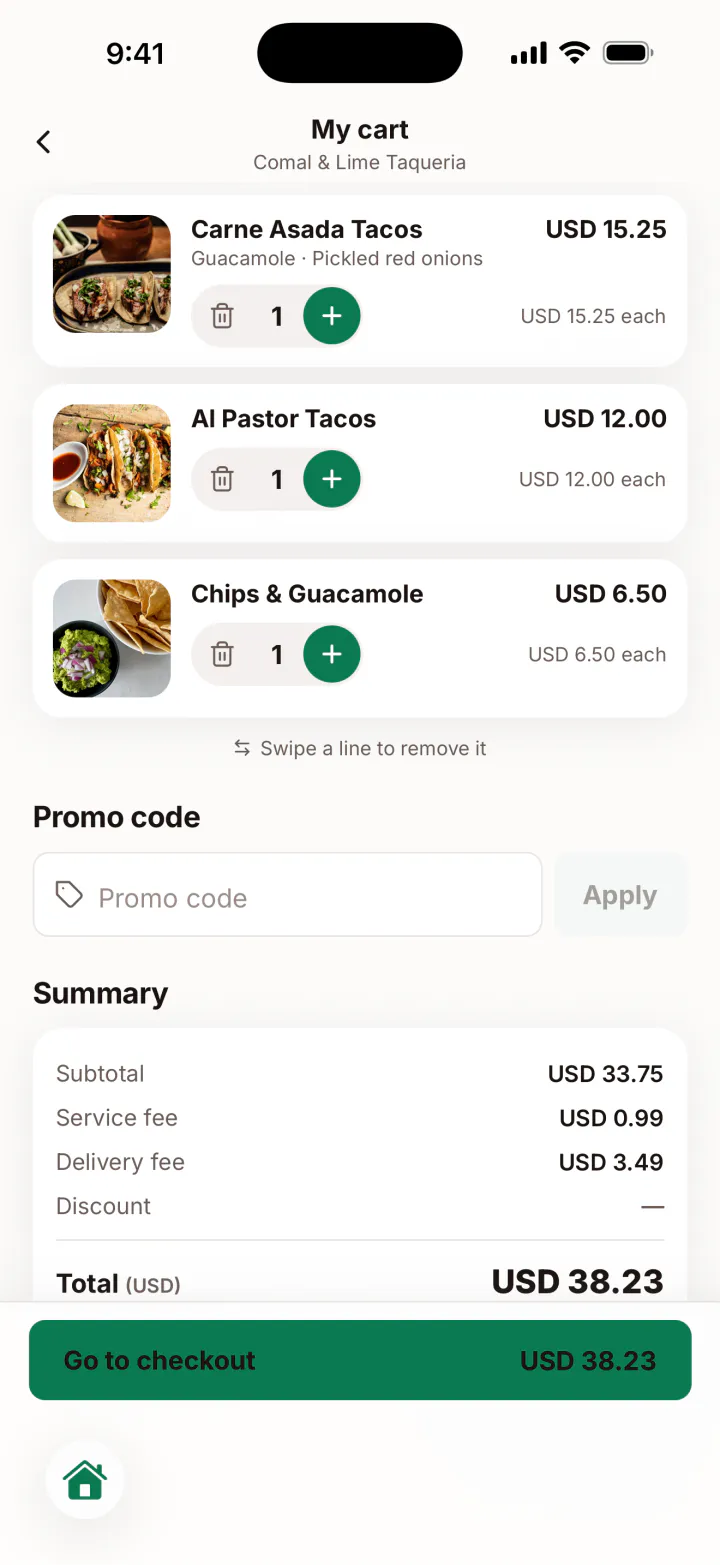
How it works
Where the code goes
- In the app: on the cart screen, in “Promo code”, then “Apply”. There is no code field on the checkout screen.
- On the website: on the checkout page, in “Discount code”, then “Apply”. There is no code field in the cart drawer.
An applied discount shows as one “Discount” row with its name or code. Customers can remove a code they typed. They cannot remove an automatic discount.
The rules customers run into
- One promotion per order. A second code does not add to the first.
- A promotion and a referral discount never combine. The larger one applies.
- A discount applies to the items, or to the delivery fee for a free-delivery discount. It never reduces the service fee or the tax.
- A free-delivery code entered before an address is chosen is kept and applied once there is a delivery fee.
- When an order is canceled or rejected, the code it used becomes usable again.
Good to know
- A “first order” code can be checked for a guest on the website, because the website sends the email typed at checkout. In the app a guest’s email is not sent with the code, so first-order codes are best used signed in.
- In the app, most refusals show the reason in English, also to customers reading in Arabic. The website translates the common ones for Arabic readers.
- The website removes spaces from a typed code and capitalizes it.
- There is no per-customer limit on a code, other than “first order only”.
If something goes wrong
| The customer sees | Cause | What to do |
|---|---|---|
| “The code X doesn’t exist. Check the spelling and try again.” | A typing mistake, or the code belongs to another marketplace. | Check the code. |
| “The code X can’t be used with (seller).” | The discount belongs to another seller. | Use it at the right seller. |
| “The code X is no longer active.”, “isn’t valid yet” or “expired on (date)” | The discount is off, has not started, or has ended. | Check the discount’s dates and switch in the admin panel. |
| A message about a minimum order, first order or usage limit | The order does not meet the discount’s condition, or the code has been used up. | Explain the condition. |
| “Your referral discount is bigger, so it stays applied. Discounts can’t be combined.” | The customer has a referral discount worth more than the code. | Nothing to fix. They are getting the larger discount. |
| “This code can’t be applied to your order” (website, Arabic) | Any refusal without a translation. | Check the code in the admin panel. |
Answer you can reuse
Enter your code in the cart in the app, or at checkout on our website, and tap “Apply”. One discount can be used per order, and when you have two, the bigger one is applied for you.